


Headunit Reloaded Emulator HUR
2.1595.00 Reviews
App Specs
- Version
- Headunit Reloaded V8.2 .0
- Updated On
- License
- $4.99
- Downloads
- 100,000+
- Developer
- AAWireless
- Categories
- Maps & Navigation
- Platform
- Android
Screenshots
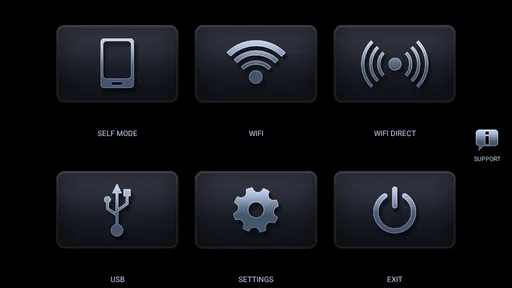
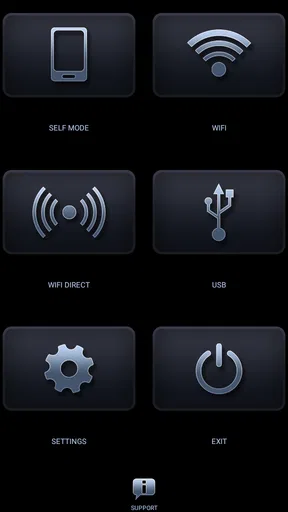
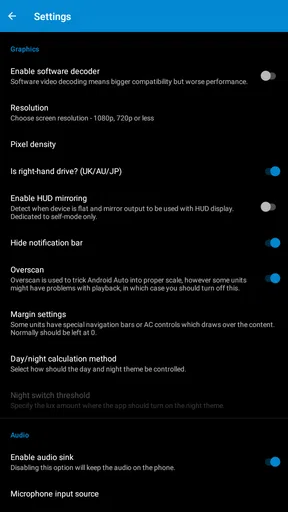
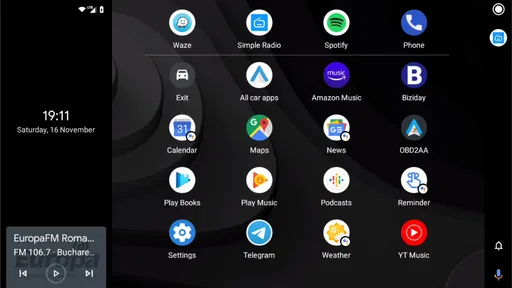
 Analysis by AppCompare
I would choose a phone-based Android Auto setup only after checking what I actually need from it: a compatible Android device, a suitable screen to run it on, and a willingness to spend time getting the connection right. Headunit Reloaded Emulator HUR is not a replacement for every factory head unit. Its appeal is more specific: it lets an Android tablet or Android-powered unit act as an Android Auto display, which can be useful when changing the car’s built-in hardware is not practical.
That distinction matters. If your car already supports Android Auto and you just want to connect your phone, the usual built-in route is simpler. If you have an older vehicle and a spare tablet or Android unit, this app is a more interesting option than buying a new head unit straight away. I would treat it as a flexible DIY setup, not a guaranteed plug-and-play upgrade for every car.
What to check before you commit
The app is in Maps & Navigation, comes from developer AAWireless, and costs $4.99. It is rated for Everyone and supports Android 4.1 or later; the current version is Headunit Reloaded V7.2.3. Those details make it approachable on paper, but the phone, display device, cable or wireless connection, and their settings all affect the experience. Check that your intended screen can run the app and that you have a practical way to connect it before planning a permanent installation.
I would also think about where the screen will sit and how it will be powered before relying on it for a commute. A tablet that works well on a desk can be awkward in a car if it is hard to see, difficult to reach safely, or inconvenient to start each time. The app can provide the software side of the experience, but it does not solve the physical mounting and in-car setup for you.
Who gets the most from this approach
This is best suited to someone comfortable trying a few settings and making use of Android hardware they already own. It can be appealing if the car lacks a modern display, if a conventional head-unit replacement is not the route you want, or if you want to test a dashboard setup before investing in a more permanent change. A spare tablet can also make the idea easier to experiment with than a device you depend on for other daily tasks.
I would skip it if you want a factory-like experience with no setup, or if troubleshooting a connection would be a deal-breaker. A built-in Android Auto system is usually the more straightforward choice when the car already has one. A dedicated replacement head unit may suit someone who wants a permanent installation and is willing to change the car hardware instead. HUR is most compelling in the middle: you bring the Android display and accept some hands-on setup in exchange for flexibility.
All About the Setup
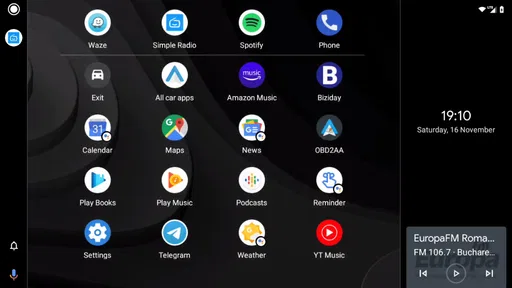
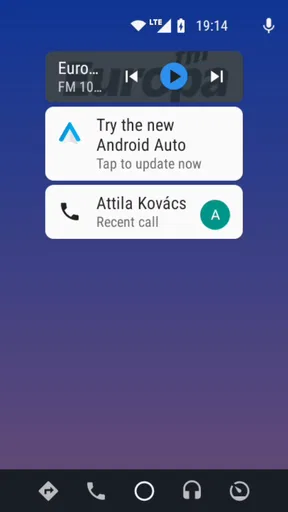
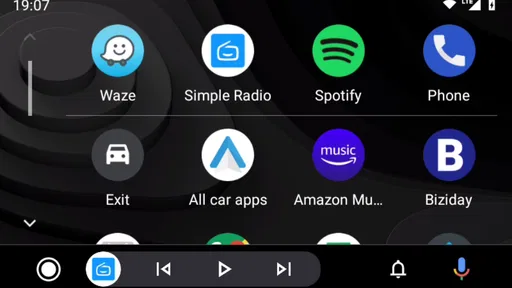
Diving into the setup, it was surprisingly straightforward. You know how some apps promise an easy installation but then have you jumping through hoops? Not this one. Just connect your phone to your car’s head unit via USB or even wirelessly if your device supports it, and you're good to go. The app mimics the Android Auto interface, and it's uncanny how well it replicates the experience.
Worth Reading Before You Choose

Flipboard Shows What News Apps Must Do Beyond the Feed

Switching to Android Auto Means Rethinking Your Driving Routine

Google Calendar Makes a Crowded Week Easier to Manage

Ludo King Makes the Most of the Minutes Between Plans

Baby Panda World Brings Quick Play to Modern Phones, but Its Game Library Feels Busy

ESPN’s Live Game View Makes Following Close Games Easier
Before you start, make sure you’ve got the right permissions set on your phone. Trust me, it's worth checking those settings first to save yourself from any head-scratching moments later. Once you've got everything configured, the app launches smoothly, and you're greeted with that familiar Android Auto interface. It’s like having a personal assistant sitting right on your dashboard.
In practice, I would approach the first connection as a short test session rather than setting everything up moments before a drive. Try the intended connection method while parked, check that the display responds as expected, and confirm that the phone and screen reconnect in the way you plan to use them. If something fails, changing one setting at a time makes it easier to identify whether the issue is the cable, the wireless link, or a permission you missed.
Interface and Usability
The interface is clean, responsive, and just what you'd expect from a solid car infotainment system. It supports all the usual apps like Google Maps, Spotify, and WhatsApp, so your favorite tunes and directions are just a tap away. I found the touch response to be incredibly smooth. There’s none of that frustrating lag that sometimes plagues other emulators.
One thing that stood out for me was the voice command functionality. You can easily summon Google Assistant without needing to take your eyes off the road. Just say "Hey Google," and you’re off to the races. Whether you’re looking for the nearest coffee shop or need to send a quick text, it’s all hands-free.
For day-to-day use, the biggest practical benefit is keeping common driving tasks in one place instead of switching between separate phone apps. On a typical trip, I would set a destination before pulling away, then use voice control for a simple change such as finding a stop along the route. That workflow is more useful than trying to reach for a phone while driving, but it still depends on the voice assistant and the apps behaving as expected on the connected phone.
The screen itself deserves some thought too. A larger tablet can make maps easier to glance at, but it can also take up more dashboard space and be harder to position neatly. A smaller Android unit may look more integrated, though text and controls can be less comfortable to read. I would prioritize a stable mount and a clear view over maximizing screen size; an emulator cannot make an awkwardly placed display safe or convenient.
Performance on the Road
Now, let’s talk about how this app performs in real-world driving conditions. I took it for a spin on both city streets and highways, and I was pretty impressed. The navigation updates were timely, and I didn’t experience any major hiccups. Even when driving through areas with spotty internet connection, the app managed to hold its own. This reliability is a big deal, especially when you’re relying on GPS for directions.
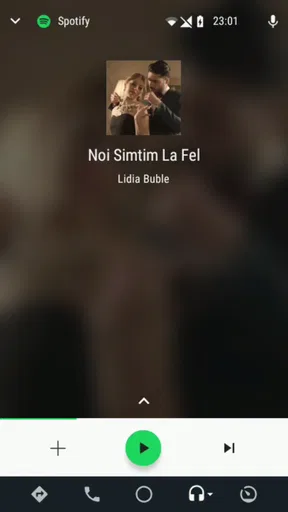
Streaming music was seamless too. I didn’t notice any quality drops or buffering, which is a huge plus when you’re in the middle of your favorite playlist. The app also supports multiple languages, so it’s versatile enough for non-English speakers too.
A realistic test is a regular errand run with several short stops, not only a long drive on a route you already know. Start navigation before leaving, let the screen stay active through a stop, and see whether your phone and display resume cleanly afterward. That reveals friction a quick demonstration can miss: a setup that works once may still be inconvenient if you have to reconnect or adjust it every time you return to the car.
For weak-signal areas, I would prepare the navigation on the phone before setting off rather than assuming the display arrangement itself solves connectivity limits. The app’s role is to present the Android Auto experience on another Android screen; your navigation and media still rely on the phone and the services you use. That makes it a sensible dashboard option, but not a substitute for planning around coverage or having a route ready when reception is unreliable.
Compatibility and Features
The Headunit Reloaded Emulator HUR works with a wide range of devices, which is great news if you’re using an older phone model. Just make sure your Android version is compatible, and you’re set. The app also offers a plethora of customization options. You can tweak the settings to suit your preferences, whether that means adjusting screen brightness or changing the layout.
Another feature worth mentioning is the split-screen mode. It allows you to multitask effectively, displaying navigation on one side and music controls on the other. This is a fantastic feature for those of us who like to keep everything at our fingertips while driving.
That split view is most useful when it reduces distraction, not when it encourages more tapping. I would set up the layout while parked and keep the driving view focused on the information needed for the trip. Brightness and layout adjustments are worth testing in the actual place the screen will sit, because a comfortable setting indoors may be hard to read in daylight or distracting after dark.
Compatibility is also more than an Android version number. The phone and display have to work together through the connection method you intend to use, and a setup that depends on wireless support should be tested with those exact devices. If wired connection is more dependable in your car, the cable may be a worthwhile trade-off even if it means one extra step when getting in.
Everyday trade-offs and alternatives
Compared with the standard Android Auto arrangement in a car that already supports it, HUR adds another device and another connection to manage. That can be a fair exchange if it gives an older vehicle a useful screen without replacing its existing equipment. Compared with a standalone navigation app on a phone, it can offer a more dashboard-oriented interface, but the phone-only option may be less work if all you need is directions and occasional audio control.
The decision is not simply whether the app has the right features. It is whether the complete setup fits your habits. Someone who drives the same car every day and enjoys adjusting Android devices may be happy to refine it. Someone who shares a vehicle, frequently moves between cars, or needs the screen to work immediately may prefer the simpler built-in option. The more pieces you add, the more useful it is to test the whole routine before depending on it.
There is also a cost-of-switching question. The app itself is a one-time purchase at $4.99, but that is only one part of a DIY arrangement if you still need a screen, mount, or other hardware. I would first try it with equipment already on hand and decide whether the daily routine feels comfortable before buying anything else. If it proves fiddly, moving to a conventional head unit later means the initial experiment may not have been the only expense.
Final Thoughts
Overall, the Headunit Reloaded Emulator HUR is a robust and reliable app for anyone looking to enhance their driving experience without breaking the bank. It's user-friendly, packed with features, and delivers a smooth performance that mimics Android Auto beautifully. If you’re in the market for a way to bring modern infotainment to your older vehicle, this app is definitely worth a look.
Its reputation is a reason to make a careful decision rather than assume every setup will be effortless: it has a 2.2 average from around 4.2K ratings, alongside roughly 556 written reviews and over 100K installs. Those figures do not tell me whether it will work with a particular phone and display, so I would test the connection with the devices you plan to use and read recent user feedback for issues that resemble your setup before committing to a permanent dashboard arrangement.
Whether you’re a tech enthusiast or just someone who wants a more connected driving experience, give this emulator a try. You might find it's exactly what you've been missing on your daily commutes.
My recommendation is strongest for Android users who already have a suitable tablet or Android-powered screen and are comfortable checking settings, testing connections, and refining the layout while parked. If you want a dependable, ready-made experience with almost no tinkering, use the car’s native Android Auto support when available or consider a dedicated head-unit route instead. For everyone else, HUR is a focused way to explore a phone-and-screen setup, provided you judge it by the complete in-car routine rather than the app alone.
Pros
- Supports wireless Android Auto.
- User-friendly interface.
- Regular updates enhance features.
- Compatible with most cars.
- Offers trial version for testing.
Cons
- Setup can be complex for beginners.
- Occasional connectivity issues.
- Limited iOS support.
- Battery drain during use.
- Requires additional permissions.
FAQs for Headunit Reloaded Emulator HUR
What is Headunit Reloaded Emulator HUR and what does it do?
Headunit Reloaded Emulator HUR is an app that transforms your Android device into an Android Auto enabled head unit. It allows you to use Android Auto on your car’s dashboard screen or any Android device. This app is perfect for those looking to integrate Android Auto into their older vehicles without built-in support.
Is Headunit Reloaded Emulator HUR compatible with all vehicles?
While Headunit Reloaded Emulator HUR is designed to work with most vehicles that support Android Auto, it is primarily dependent on the compatibility of your Android device. Ensure your car's infotainment system is Android Auto compatible, or consider using an external screen or tablet for older models.
What are the main features of Headunit Reloaded Emulator HUR?
Key features of Headunit Reloaded Emulator HUR include full-screen mode, touch input support, a customizable interface, and wireless Android Auto support. Additionally, it offers a split-screen mode for multitasking and supports voice commands for hands-free operation, making it versatile for various user needs.
Does Headunit Reloaded Emulator HUR require an internet connection to function?
An internet connection is required to access online features of Android Auto, such as navigation, streaming music, or making calls. However, Headunit Reloaded Emulator HUR itself doesn't need constant internet access to run, allowing offline usage for basic functionalities like playing locally stored media.
Are there any known issues or limitations with Headunit Reloaded Emulator HUR?
Some users report connectivity issues, especially with wireless setups, which might require troubleshooting or updates. Additionally, performance may vary depending on your device's hardware and software. It’s recommended to check compatibility and read user reviews to understand any potential limitations before purchasing.


